Building an E-Invoicing System for Nigeria’s Busiest Finance Teams
Andersen needed businesses to get FIRS-compliant without the manual back-and-forth. I designed the platform end to end, for four very different kinds of users.


Goal
Andersen’s team was almost entirely engineers, with no one dedicated to product or design. Before touching Figma, I researched how platforms like Digitax served businesses such as Oracle and Zenith Bank, then mapped every persona myself. The goal: a design system that could make FIRS compliance disappear into the background, not add to the workload.
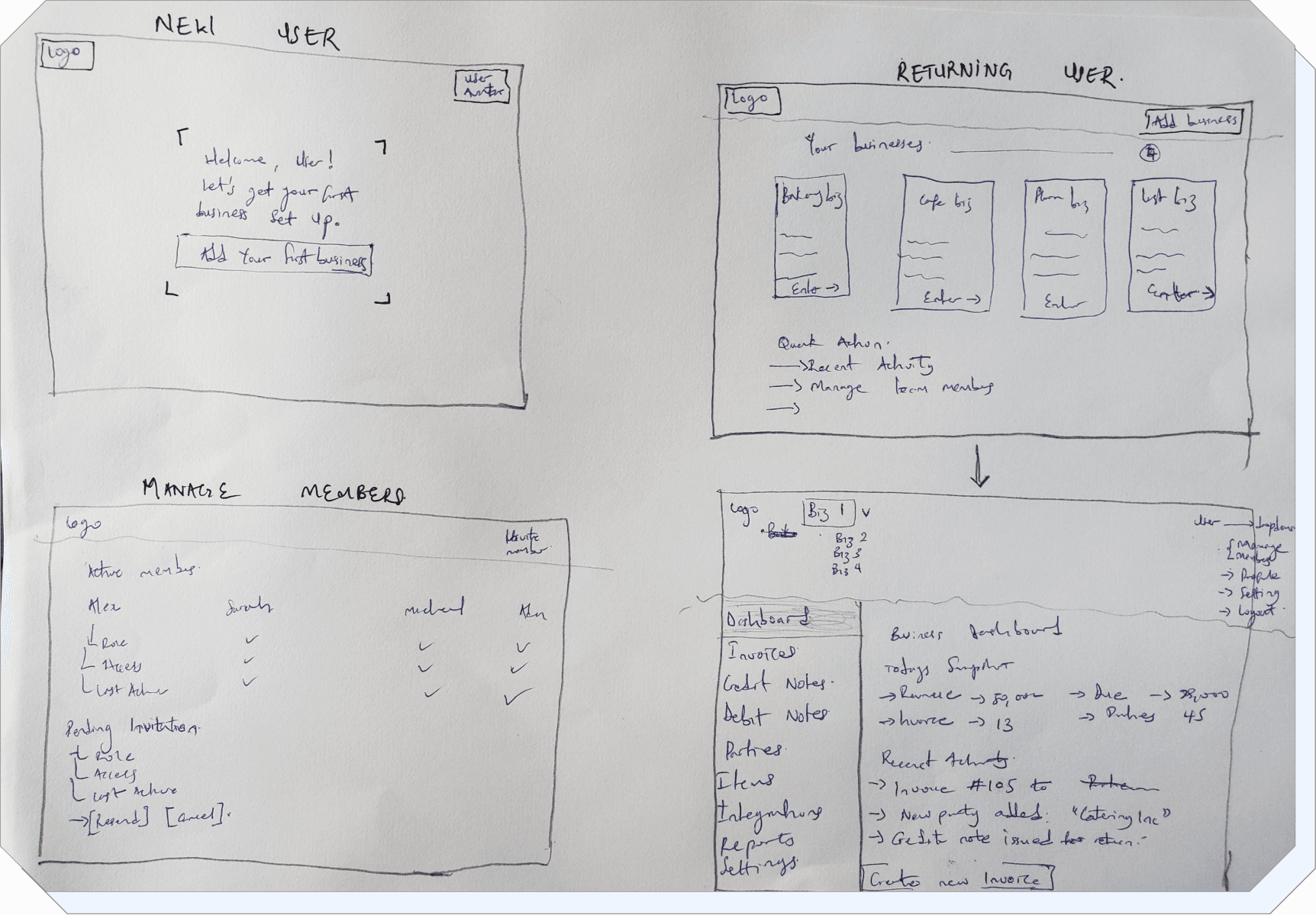
These are the actual sketches, a New User setting up their first business, a Returning User picking from businesses they already manage, and a Manage Members screen for handling admins and pending invites. Below that, the dashboard modules: invoices, credit notes, debit notes, parties, items, reports, and settings, with recent activity and quick actions built in from the start. Every screen on the live platform started here, on paper.

The part i’m obsessed with
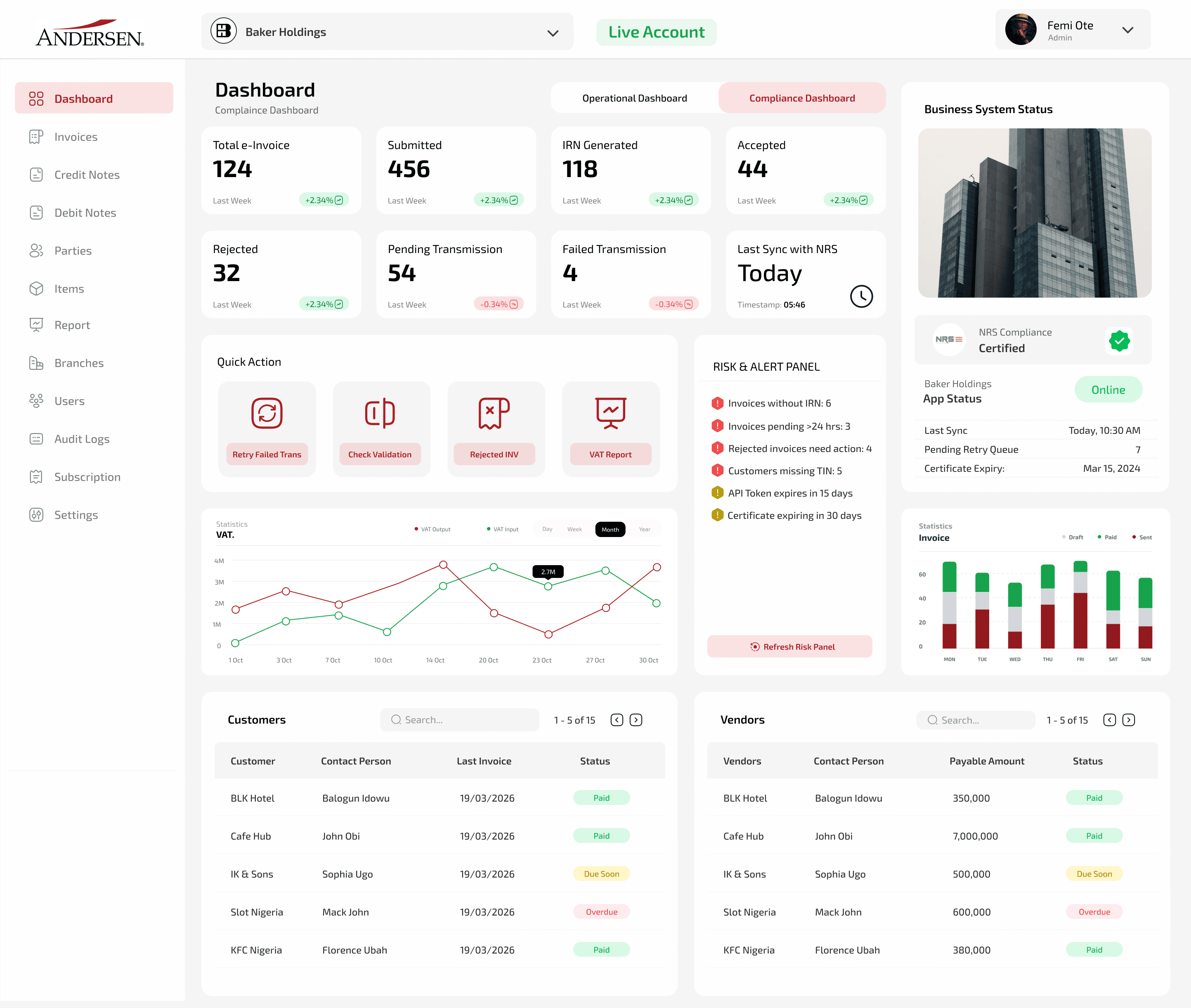
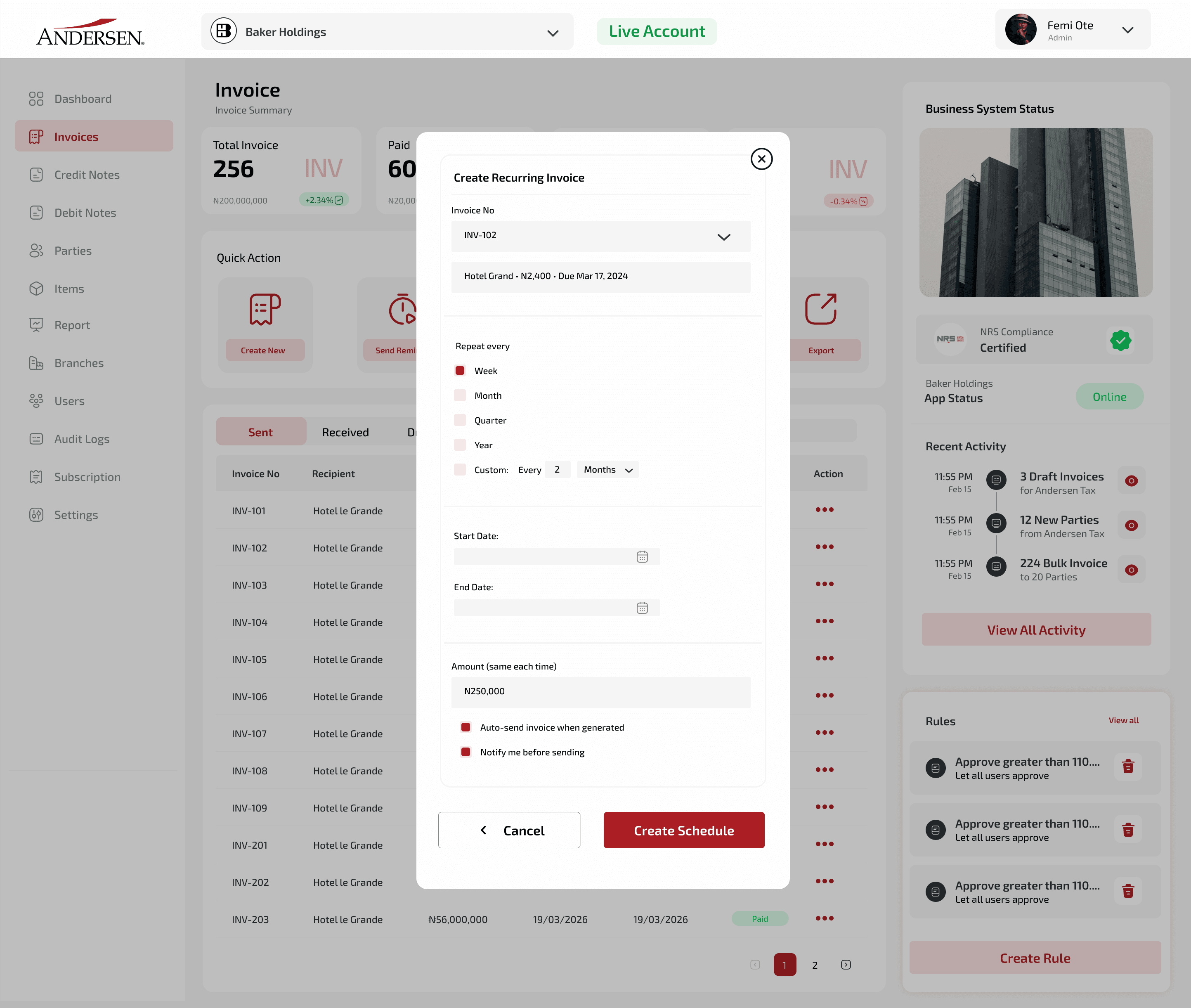
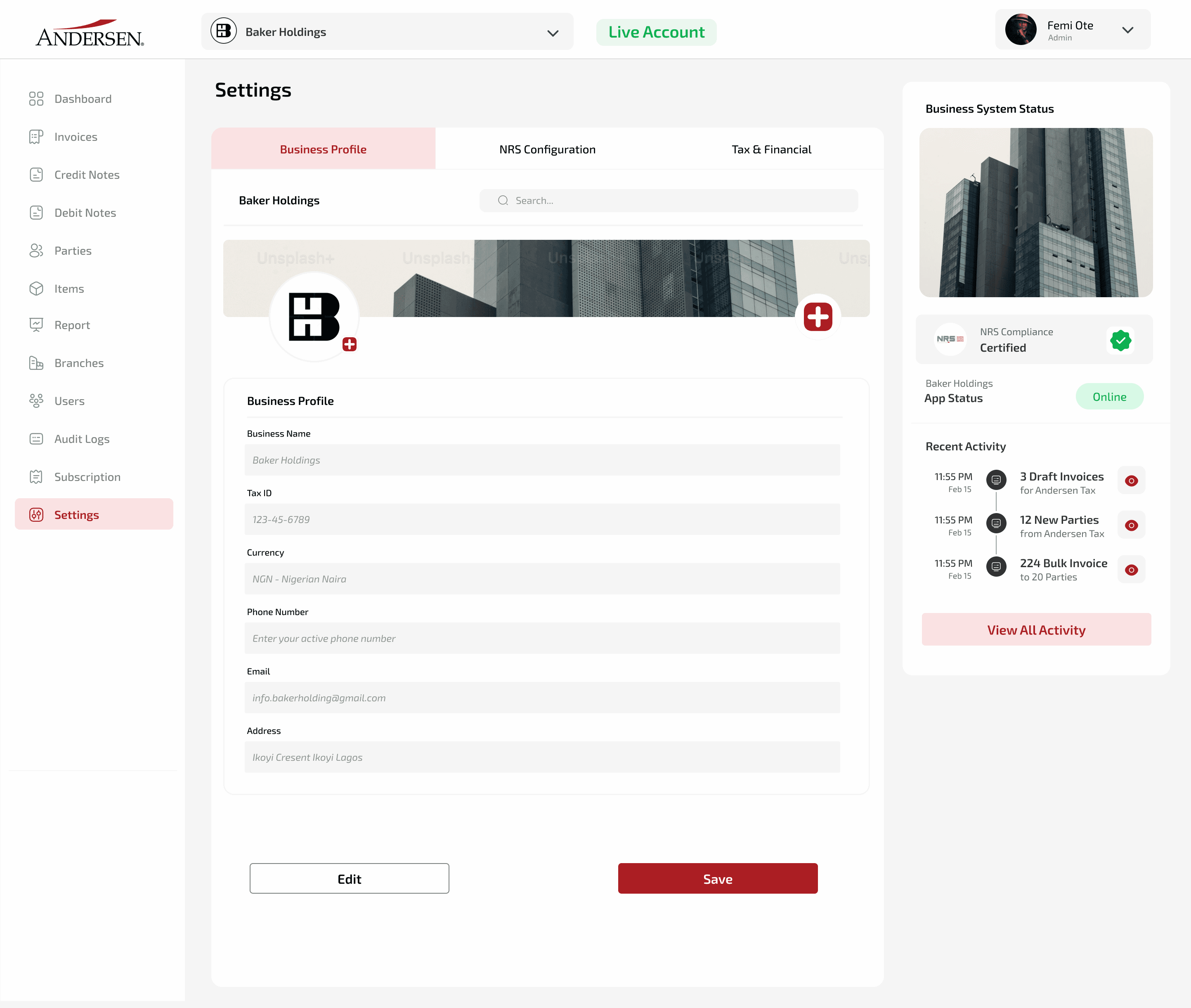
Once flows were approved, I moved into UI, starting with login and onboarding, then the dashboard: a top bar showing the business and whether it’s live, a sidebar for every module, split between operations and compliance.
Invoices submitted, IRNs generated, accepted, rejected, pending, or failed, all tracked, with a VAT chart to catch problems before anything gets rejected outright.
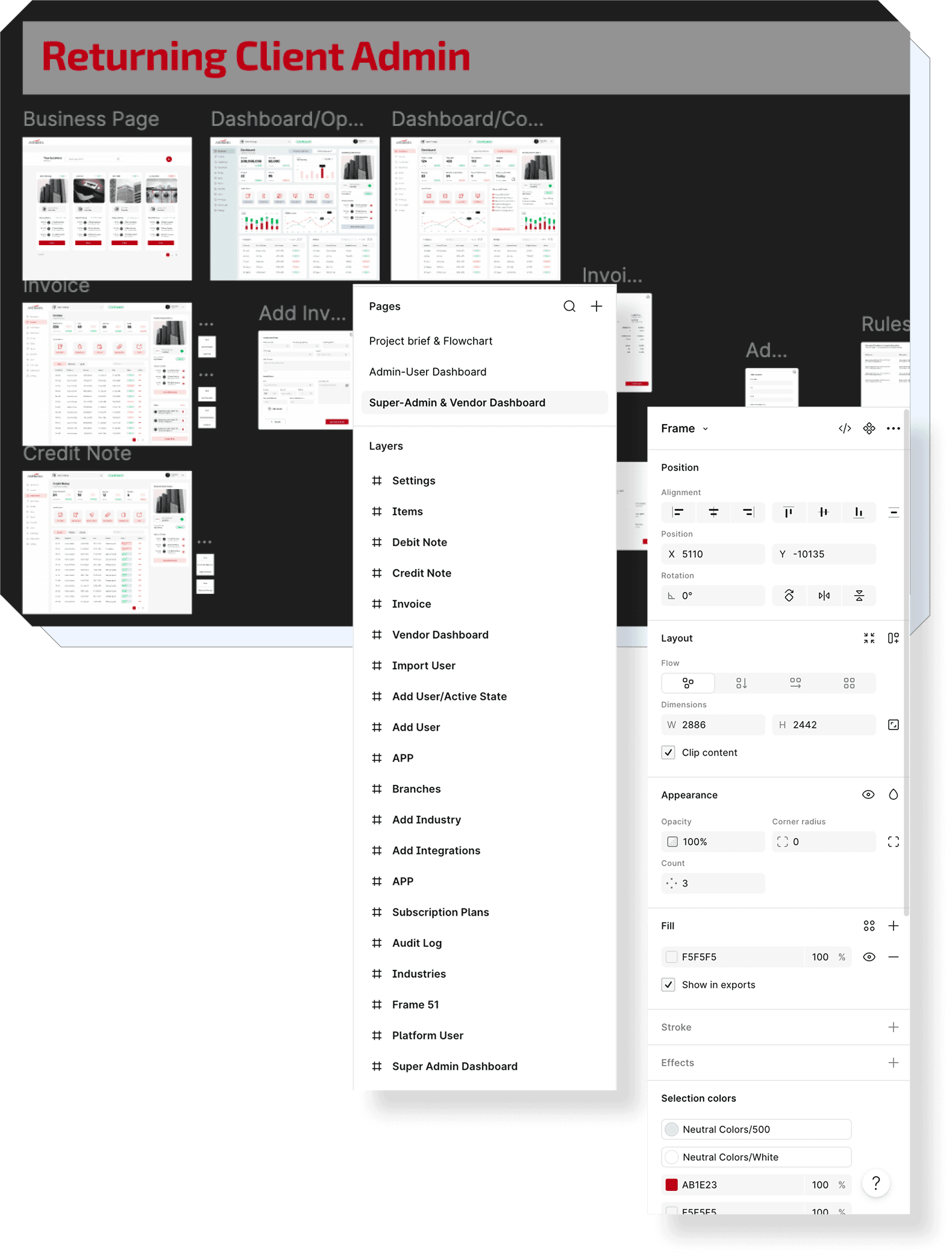
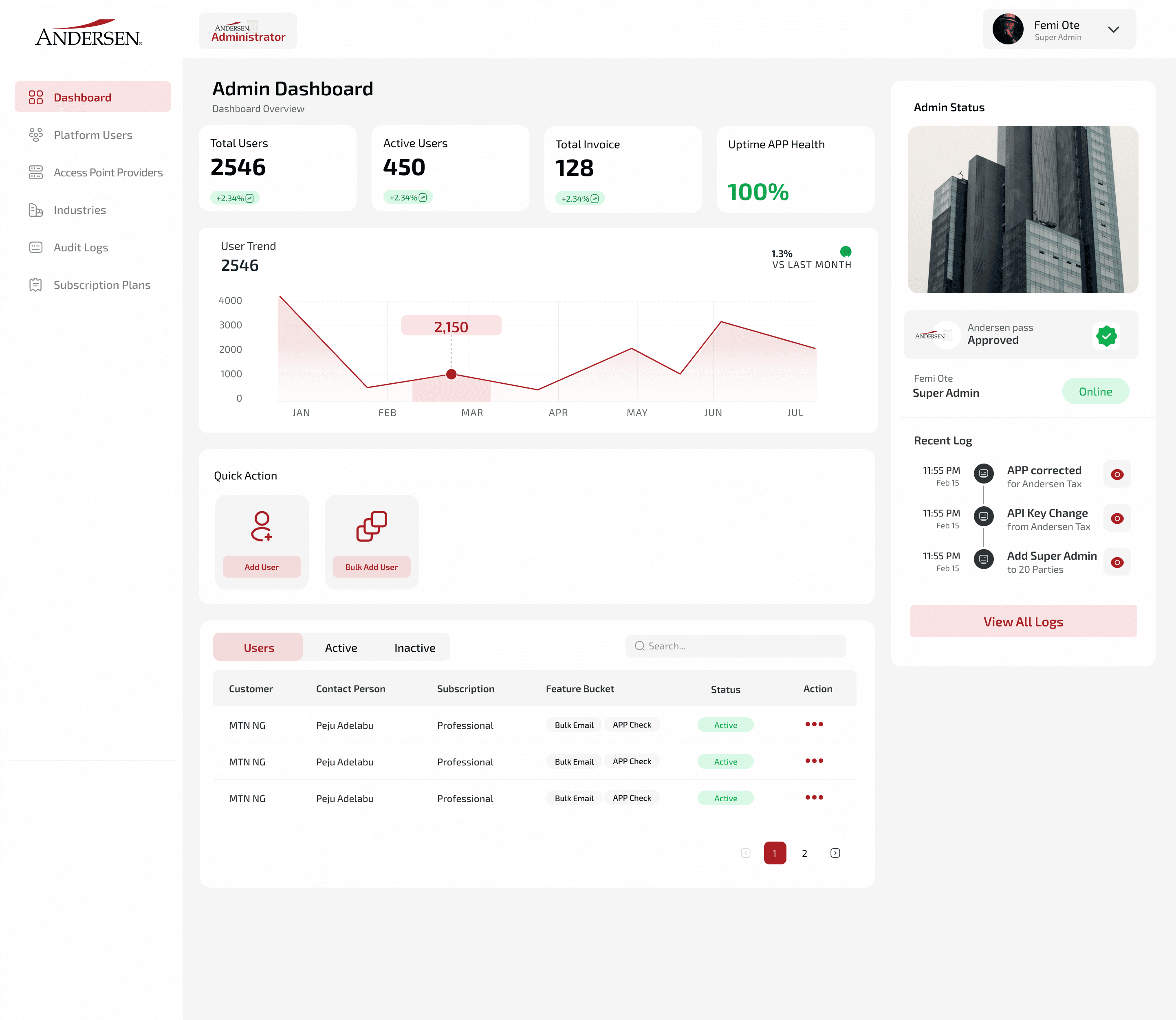
After the admin experience was solid, I built Andersen’s Super Admin, the control panel for managing clients, then the Vendor flow for outside suppliers submitting invoices they don’t fully own.
This is the part I obsessed over, sending screens to Kehinde late at night, getting feedback, redoing them until every flow actually held together.
My Final Outcome
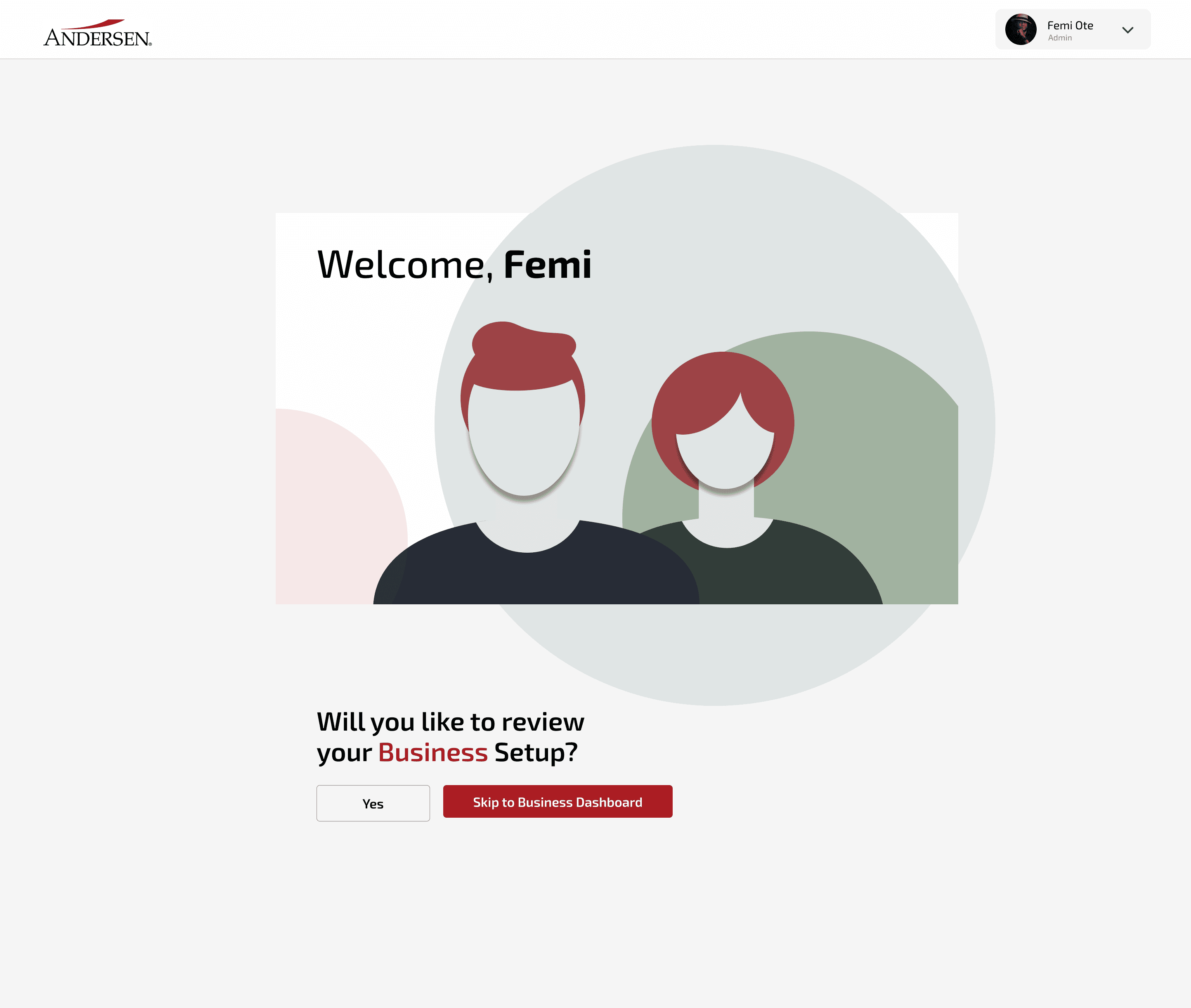
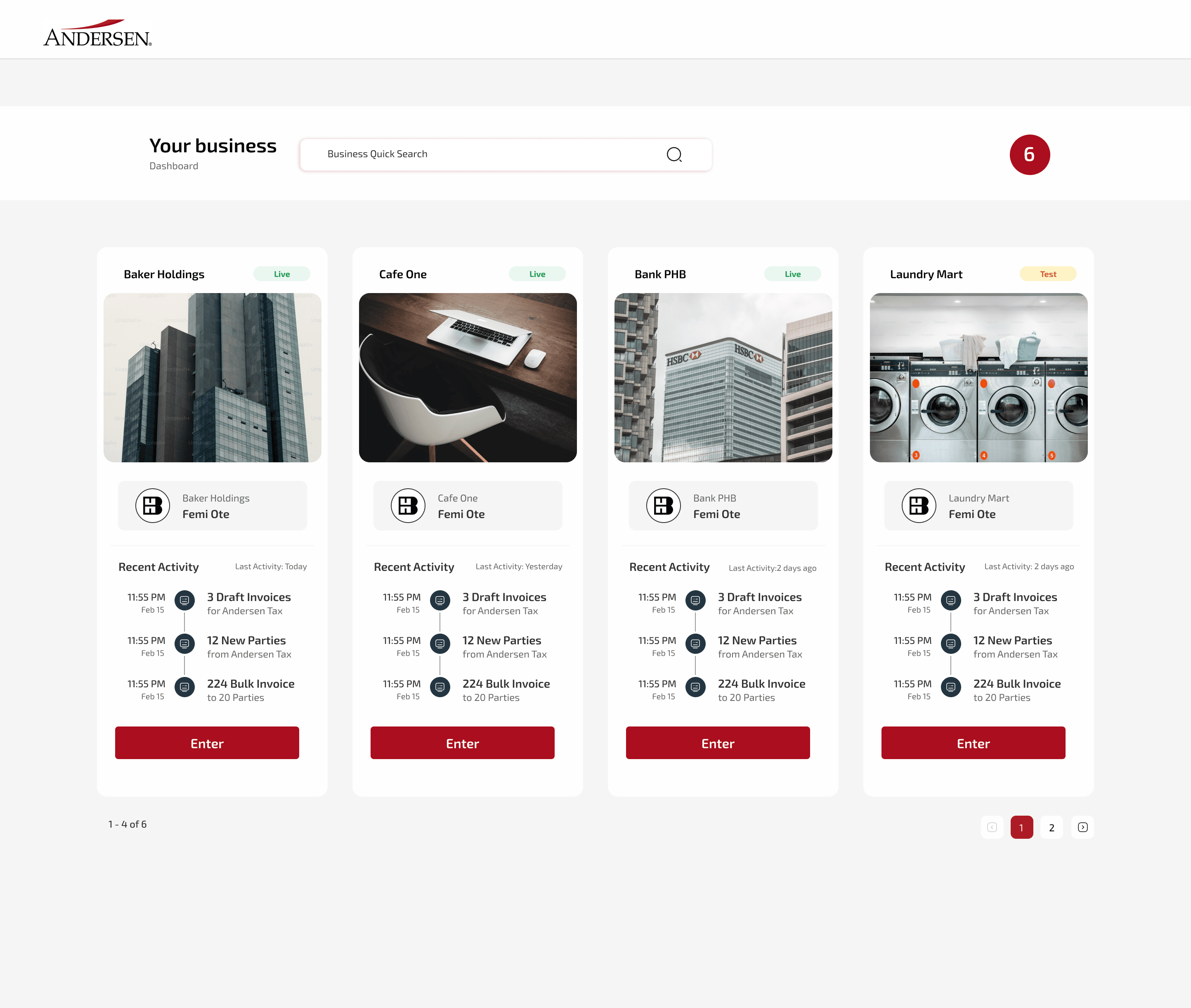
After weeks of sketches and iteration, the platform went live, from a Success screen guiding brand-new businesses through their first invoice, to a dashboard letting returning users manage several businesses at once.
by the way i wanted to let you know, nice design. Well thought out.
- Andersen Nigeria
- Andersen Nigeria
- Andersen Nigeria
- Andersen Nigeria

Thank
You